Pac-FishPac-Fish
Un jeu de bureau façon Pac-Man, développé en binôme en C# et WPF : on incarne un poisson poursuivi par des chats. On mange les bulles, on attrape le bonus et les rôles s'inversent. A Pac-Man-like desktop game built in a pair with C# and WPF: you play a fish chased by cats. Eat the bubbles, grab the power-up and turn the tables.
ContexteContext
SAÉ 1.01/1.02, en 1re année de BUT Informatique à l'IUT d'Annecy. Le sujet : recréer un jeu connu autour d'un mot imposé. Le nôtre était « poisson ». Ce projet a été ma première vraie application WPF, avec des priorités à tenir pour livrer un jeu complet à la date prévue.
SAÉ 1.01/1.02, first year of the BUT Informatique at IUT Annecy. The brief: recreate a well-known game around an imposed word. Ours was “fish”. It was my first real WPF application, with priorities to manage in order to deliver a complete game on time.
ObjectifObjective
Livrer un jeu jouable en C# et WPF, avec plusieurs écrans, un score et un code propre.
Deliver a playable game in C# and WPF, with several screens, a score and a clean code base.
Mon rôleMy role
- Construire la navigation entre les écrans (accueil, règles, choix du skin, paramètres, crédits) avec des UserControls WPF.
- Programmer le déplacement du poisson, les collisions avec les murs, le tunnel et les bulles à manger.
- Ajouter les manches (le labyrinthe se réinitialise et le jeu accélère), un chronomètre et le bonus qui rend les chats mangeables.
- Passer la solution de .NET 10 à .NET 8 pour qu'elle fonctionne sur les ordinateurs de l'IUT.
- Built the navigation between screens (home, rules, skin choice, settings, credits) with WPF UserControls.
- Programmed the fish movement, wall collisions, the tunnel and the bubbles to eat.
- Added rounds (the maze resets and the game speeds up), a timer and the power-up that makes cats edible.
- Moved the solution from .NET 10 to .NET 8 so it runs on the IUT computers.
FonctionnalitésFeatures
- Labyrinthe avec collisions et tunnel qui fait passer d'un bord à l'autre.
- Chats ennemis aux déplacements aléatoires.
- Bonus : les chats deviennent mangeables et retournent à leur point de départ.
- Manches de plus en plus rapides et chronomètre.
- Meilleur score enregistré dans un fichier JSON, écran de fin de partie et musique.
- Maze with collisions and a wrap-around tunnel.
- Enemy cats with random movement.
- Power-up: cats become edible and go back to their spawn.
- Rounds that get faster, and a timer.
- Best score saved in a JSON file, game over screen and music.
ImagesArtwork

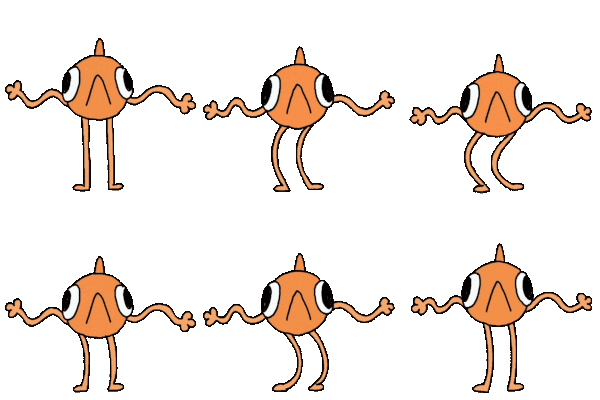
Dans les coulissesBehind the scenes
Le labyrinthe est un tableau 2DThe maze is a 2D array
Le labyrinthe est décrit par une matrice d'entiers (un tableau 2D) dans le code C#. Chaque case correspond à un élément précis : 1 pour un mur, 2 pour une bulle à manger.
The maze is described by a matrix of integers (a 2D array) in the C# code. Each cell stands for one element: 1 for a wall, 2 for a bubble to eat.
private void RenderMazeGrid()
{
    for (int r = 0; r < mazeGrid.GetLength(0); r++)
    {
        for (int c = 0; c < mazeGrid.GetLength(1); c++)
        {
            if (mazeGrid[r, c] == 1)
            {
                var wall = CreateWallVisual(c, r);
                MazeCanvas.Children.Add(wall);
            }
            else if (mazeGrid[r, c] == 2)
            {
                var pellet = CreatePelletVisual(c, r);
                MazeCanvas.Children.Add(pellet);
                pelletDictionary[(c, r)] = pellet;
                initialPellets.Add((c, r));
            }
        }
    }
}- La méthode parcourt chaque ligne
ret chaque colonnecde la matrice. - Pour un 1, elle crée le visuel d'un mur et l'ajoute au
Canvasdu jeu. - Pour un 2, elle crée une bulle, l'ajoute au
Canvaset la range dans un dictionnaire indexé par sa position(colonne, ligne): on retrouve ainsi directement la bulle d'une case. - La liste
initialPelletsgarde les positions de départ des bulles, pour pouvoir les remettre en place quand le labyrinthe est réinitialisé.
- The method walks through every row
rand every columncof the matrix. - For a 1, it creates a wall visual and adds it to the game's
Canvas. - For a 2, it creates a bubble, adds it to the
Canvasand stores it in a dictionary keyed by its(column, row)position, so the bubble of any cell can be found directly. - The
initialPelletslist keeps the starting positions of the bubbles, so they can be put back when the maze is reset.
Gestion de projetProject management
- Git et GitHub : une branche principale pour les versions stables et des branches personnelles fusionnées par pull requests.
- Fonctionnalités classées par priorité, pour avoir d'abord un jeu jouable, puis l'enrichir.
- Git and GitHub: a main branch for stable versions and personal branches merged with pull requests.
- Features ranked by priority, to get a playable game first and then build on it.
Compétences acquisesSkills gained
- Créer une interface de bureau en WPF et XAML, avec plusieurs écrans.
- Choisir une structure de données adaptée (matrice, dictionnaire) pour garder le code simple.
- Travailler à deux sur le même code avec des branches et des pull requests.
- Building a multi-screen desktop interface with WPF and XAML.
- Choosing a suitable data structure (matrix, dictionary) to keep the code simple.
- Working as a pair on the same code base with branches and pull requests.